ASee4.1.1
Publisher Description
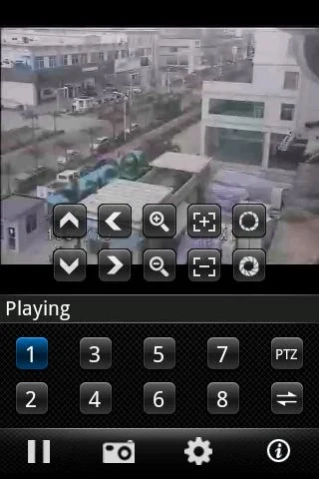
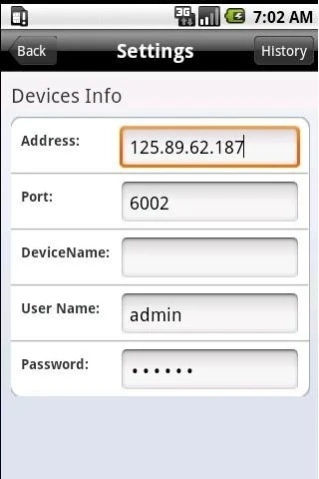
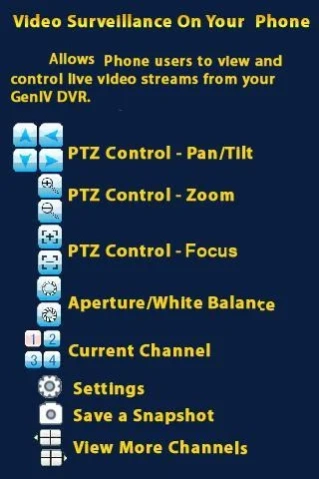
This soft can support most of the DVR/IPC which made in china .fast and simple.
we have a pro version and have no ad.
https://play.google.com/store/apps/details?id=com.MEyeProp
Support most old type dvrs and more new type dvrs which port is 34567 or 37777 or 8101 or 8000 or 5800 ect.
Because these new type dvrs default port is 37777 or 34567 or 8000 or 5800 or 8101
but some old dvr it is default port maybe is them too. The app mistakenly believes that the old dvr is a new type device. that causes the app can not work well for old dvrs.
We use a method to solve it.
You need check the Select box for "Only Support old device" in settings, then save it.and exit this app.and then restart app,the old dvr can be support well as before.
it also support adnroid pda.
- Compatible with all Android smartphones
- Stream live video directly from your security devices
- Support multiple DVRs
- Supports control over PTZ cameras
- Take snapshots of live streaming video
About ASee
The company that develops ASee is meyetech. The latest version released by its developer is 4.1.1. This app was rated by 149 users of our site and has an average rating of 3.5.
To install ASee on your Android device, just click the green Continue To App button above to start the installation process. The app is listed on our website since 2016-11-18 and was downloaded 40,340 times. We have already checked if the download link is safe, however for your own protection we recommend that you scan the downloaded app with your antivirus. Your antivirus may detect the ASee as malware as malware if the download link to com.ASee is broken.
How to install ASee on your Android device:
- Click on the Continue To App button on our website. This will redirect you to Google Play.
- Once the ASee is shown in the Google Play listing of your Android device, you can start its download and installation. Tap on the Install button located below the search bar and to the right of the app icon.
- A pop-up window with the permissions required by ASee will be shown. Click on Accept to continue the process.
- ASee will be downloaded onto your device, displaying a progress. Once the download completes, the installation will start and you'll get a notification after the installation is finished.
Program Details
System requirements
Download information
Pricing
Version History
version 4.1.1
posted on 2016-11-18
Let some dvr work.,Add Support more new type dvrs.,Because these new type dvrs default port is 37777 or 34567 or 8000 or 5800 or 8101,but some old dvr it is default port maybe is them too. The app mistakenly believes that the old dvr is a new type device. that causes the app can not work well for old dvrs.,We use a method to solve it.,You need check the Select box for "Only Support old device" in settings then save it.and exit this app.then restart app,the old dvr can be support well as before.
version 2.2.0
posted on 2011-04-08
Several fixes and updates
